
Kubernetes without the expertise
A panel that grows with you.
From one-click installs to automated deployments.
Start with a template. As your setup grows, bring services into Projects and use API keys to deploy from your pipeline.
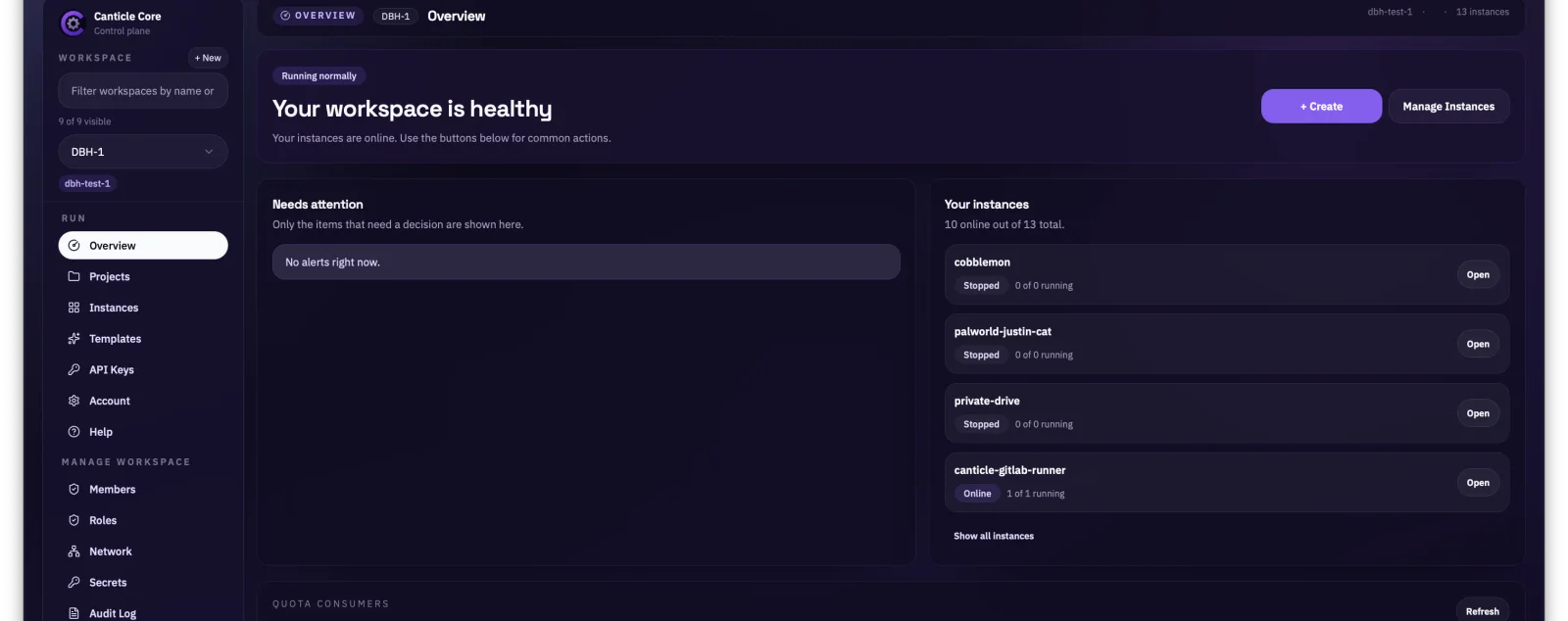
Built for what comes next
Start with one service. Keep going.
-
Launch
Choose a template, set what the service needs, and launch an Instance from the panel.
-
Operate
Find logs, files, console access, storage, backups and endpoints beside the running service.
-
Automate
Use Projects, versioned templates and API keys to make deployments repeatable from CI.
-
Terraform Coming soon
Terraform support is planned for teams that manage infrastructure as code.
Inside the panel
What using Canticle looks like.
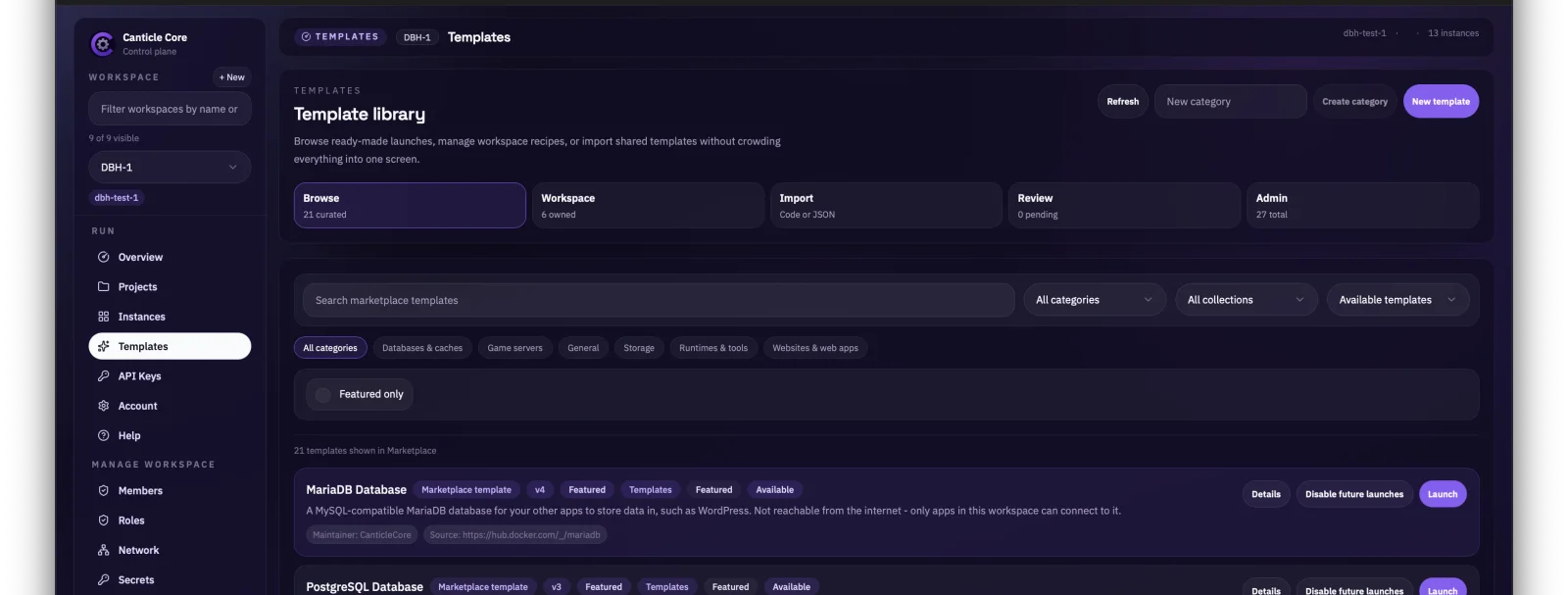
Pick a starting point
Browse ready-made templates and launch a service from the same screen.
See what is running
Check service health, find an Instance and reach its controls in one place.
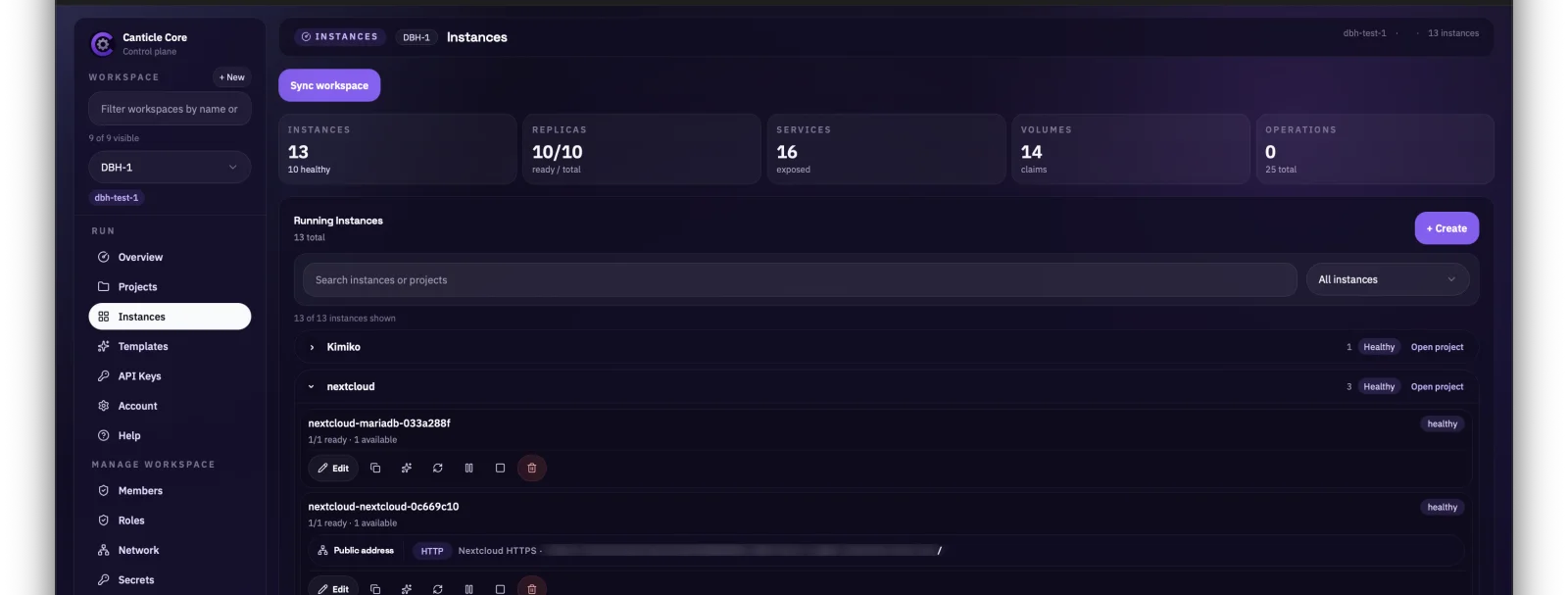
Screenshots from the live panel. Public endpoint addresses are obscured.
A small public view
The platform, in numbers.
These counts come from persisted platform records and refresh at most once a minute.
- Managed Instances
- —
- Projects
- —
Persisted Deployment workload records across all workspaces.
Persisted Project records across all workspaces.
Get in touch
Questions about Canticle?
For product questions or inquiries, email Kimiko. We can talk through where you are now and what you want to run next.
kimiko@canticle-core.com